Discord
Integrate Streamer.bot with Discord via webhooks
Webhooks allow you to send messages to your Discord servers with ease.
You must have the proper permissions to create webhooks on a given server/channel
Configuration
Create Discord Webhook URL
In Discord, Right-Click on a channel you have permissions to manage, and select
Edit Channel- Navigate to the
Integrationstab - Click
Create Webhookto create a new webhook for the selected channel: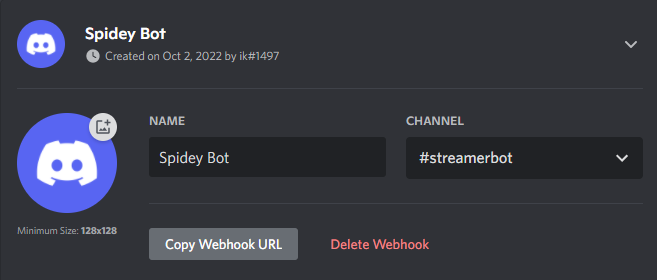 Discord Webhook Configuration
 - Configure the
NameandAvataras you wish - Click the
Copy Webhook URLbutton to get your Webhook URL
You can now use the copied Webhook URL with the Discord Webhook sub-action!